myLSU Portal: Theses and Dissertations
This article has not been updated recently and may contain dated material.
NOTE
If you are using a mobile device to access the myLSU portal, you may need to rotate your phone to landscape mode to access the menu.
Accessing Theses and Dissertations through the myLSU Portal:
1. Log into myLSU.
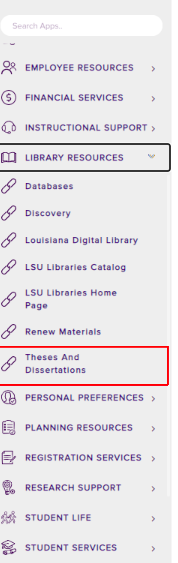
2. Select Library Resources | Theses and Dissertations:
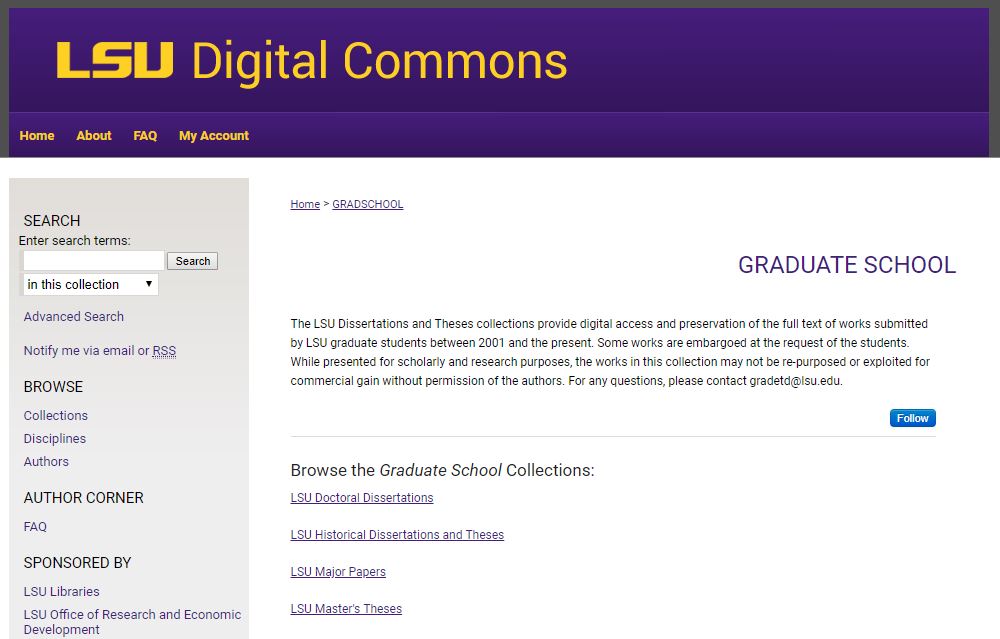
3. After clicking on Theses and Dissertations, a new window will open in your browser that will take you to the Graduate School: Electronic Thesis and Dissertation Library.
References: myLSU
15706
4/17/2024 8:36:44 AM