General Information
The LSU wireless guest network (lsuguest) is for the exclusive use of sponsored guests. Access to lsuguest requires user authentication in the form of a web portal. LSU faculty and staff can create guest accounts at netguest.lsu.edu.
Before logging in, you need to receive a Login ID & Password.
Connect to lsuguest Wireless
1. Find lsuguest in the list of available wireless networks and select it.
2. Open a web browser and wait to be redirected to the LSU Guest Authentication page.
3. Enter the LSU Guest ID & Password that was provided to you by your Sponsor, and click Submit.
- Once the connection is established, you will have access to the lsuguest wireless network.
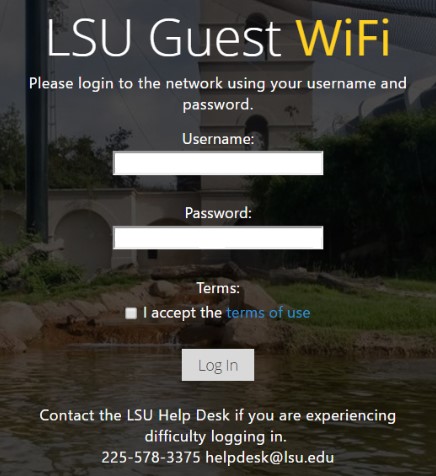
Network Settings for lsuguest
SSID: lsuguest
Network Type: Infrastructure (or Access Point)
TCP/IP: DHCP
Data Encryption: None
Web Redirection & Certificate Issues
When connecting to lsuguest, our system attempts to redirect your browser to our authentication page. Specific settings on browsers can prevent this from happening. Please check the settings below and correct as needed:
1. Click on Tools--> Internet Options --> Connections --> LAN Settings and make sure all boxes are unchecked.
2. Close your browser and reopen it. You should now be properly routed to the authentication page.
1. Tools--> Options--> Advanced--> Network--> Connections Settings, select "Direct connection to the Internet".
2. Close your browser and reopen it. You should now be properly routed to the authentication page.
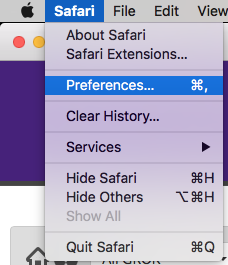
1. Select Safari, then Preferences...
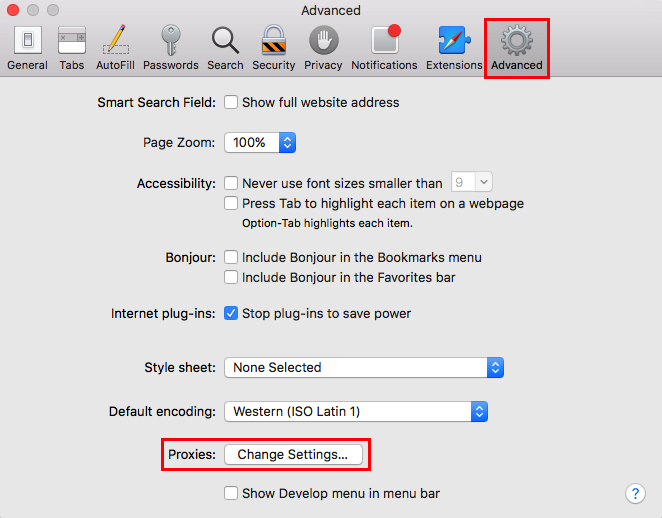
2. Select the Advanced tab, and Change Settings... under Proxies.
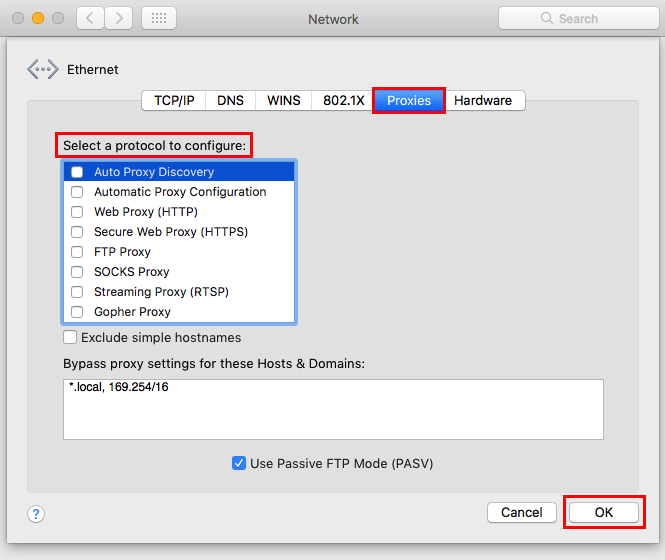
3. Select the Proxies tab, look under Select a protocol to configure: to make sure no boxes are checked. Click Ok.
4. Close your browser and reopen it. You should now be properly routed to the authentication page.
In addition, certificate errors are common when connecting to lsuguest. This is due to the fact that we use an intermediate certificate and some browsers are unable to tie this to the certificate authority. If your browser complains that the certificate cannot be validated, ignore this error and continue to the authentication page.
Limitations
The lsuguest network provides access to the internet for sponsored guest users. Traffic is limited to TCP ports 80 (http) and 443 (https). Sponsored accounts can be valid for up to 30 days. If additional access is needed, see the following article: Extended Network Guest Account.
Important Note About Security
The lsuguest wireless network is unencrypted. Data transmissions on this network can be easily monitored and captured. The transmission of sensitive data over this network is discouraged.