OS X Tiger: Connecting to eduroam
Archived Historical Data: Not Actively Maintained.
This article applies to machines running Mac OS 10.4 and below.
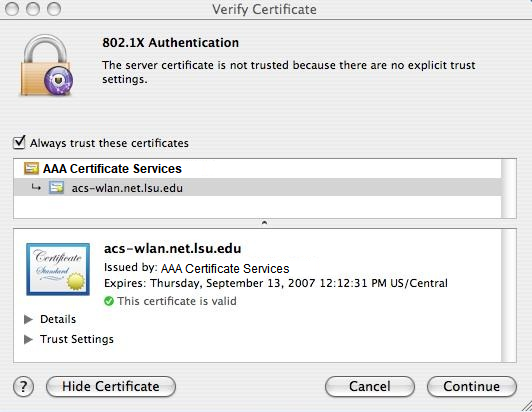
NOTE: For this process to work correctly, the date and time of your machine must be accurate for the certificate picture below to be verified.
To Connect to eduroam:
1. Open Internet Connect (located in the Applications folder).
2. Choose File, then select New 802.1X Connection.
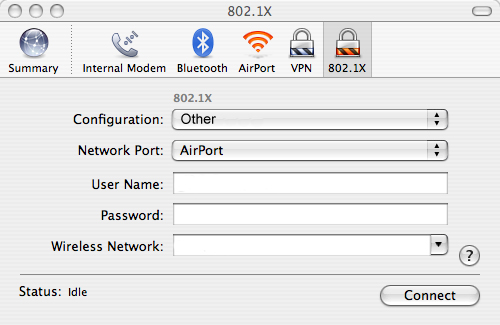
3. From the Configuration option, select Edit Configurations.
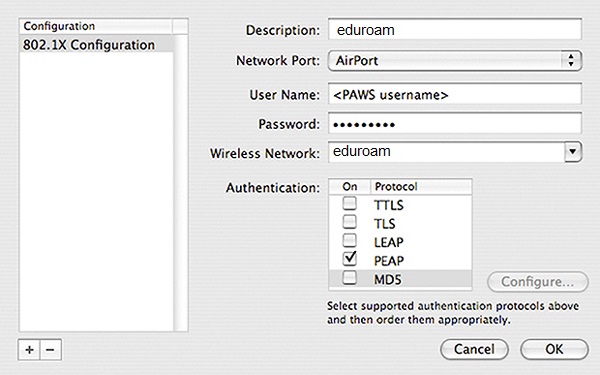
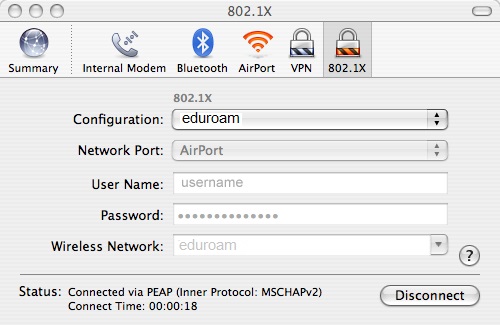
4. Create a new configuration with the settings shown in the image below. Click OK.
NOTE: Enter your PAWS credentials in the form <PAWS ID>@lsu.edu. If you do not do this, you WILL receive an error message.
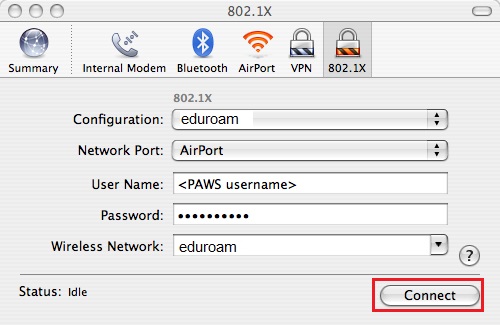
5. Click Connect.
6. A "Verify Certificate" window should pop up. Click the Show Certificate button. Verify that the certificate name is eduroam.net.lsu.edu or eduroam.lsu.edu and that it has been issued by AAA Certificate Services. Check the box Always trust these certificates and click Continue.
7. To verify that you have successfully connected, observe the Status field at the bottom of the 802.1X window.
NOTE: If username and password do not automatically authenticate, check your password and try again. If the problem persists, visit the Frey Computing Services Center's Help Desk for more information regarding connecting to eduroam.
1468
7/16/2024 11:14:07 AM